


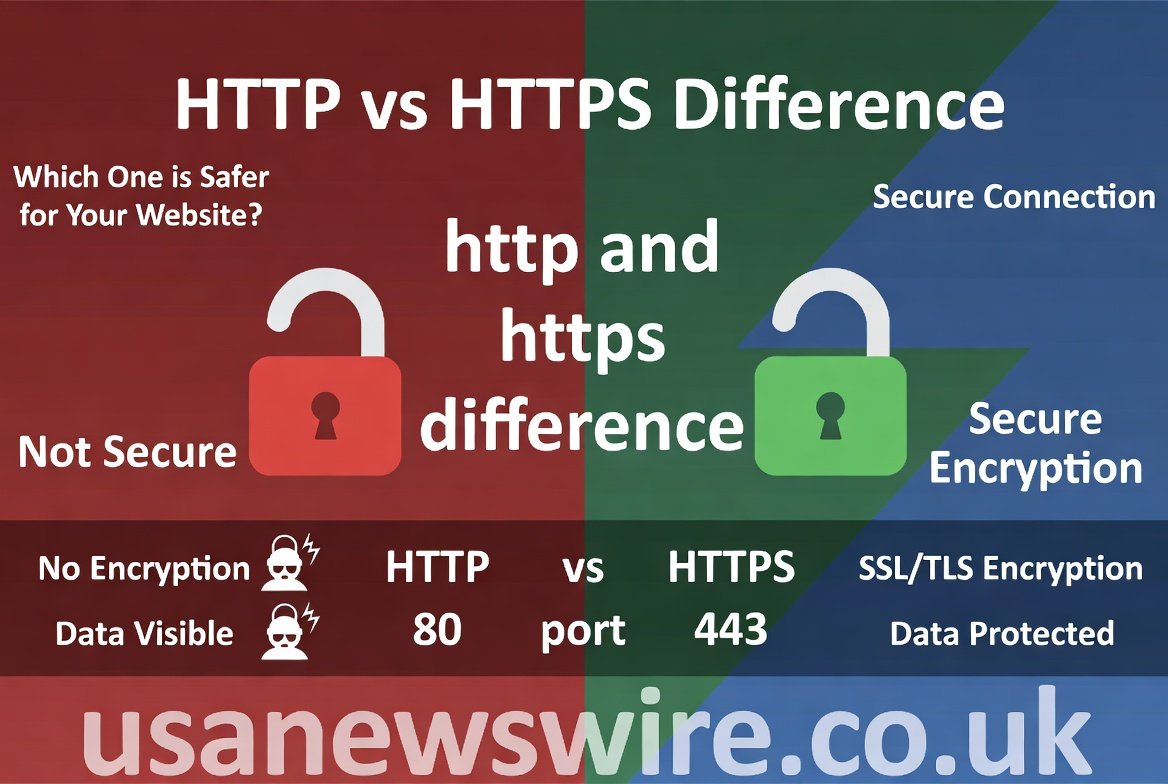
The internet is a massive world where we share a lot of information every single day. You might notice that some website addresses start with HTTP while others use HTTPS. Understanding the http and https difference is very important for anyone who uses a phone or computer to browse the web. At its heart, this topic is all about how your data travels from your screen to a server far away. One way is like sending a postcard that anyone can read, while the other is like sending a locked box. Knowing which one is which helps you stay safe while shopping or chatting online.
When you type a website name into your browser, a special set of rules called a protocol starts working. For a long time, the world used a standard system that was fast but not very private. As hackers became smarter, the tech world had to create a better version to protect our passwords and credit card numbers. In this article, we will break down the http and https difference using very simple words. We want to make sure you feel confident and secure whenever you click a link or enter your details on a new site.
What is HTTP in Simple Terms?
HTTP stands for Hypertext Transfer Protocol and it is the foundation of the World Wide Web. Think of it as a delivery person who carries messages back and forth between your computer and a website. When you click on a picture or a link, HTTP tells the server what you want to see. It has been around for many years and helped the internet grow into what it is today. However, HTTP has one big problem because it does not use any special protection for the messages it carries.
The biggest http and https difference starts with how the data is handled during the trip. In a standard HTTP connection, all the information is sent in “plain text.” This means if a bad person intercepts the message, they can read everything inside it quite easily. It is perfectly fine for reading public news or looking at funny cat photos where privacy does not matter. But if you are typing in a secret password, using a basic HTTP site can be a bit risky for your privacy.
What is HTTPS and Why Does it Exist?
HTTPS is the more secure brother of the original protocol, and the “S” at the end stands for “Secure.” It works exactly like the old system but adds a very strong layer of protection around your data. This layer is created by something called an SSL certificate, which acts like a digital passport for the website. When you see HTTPS in your browser bar, it means the website has proven its identity. This helps you know that you are talking to the real site and not a fake one.
The main http and https difference here is the use of encryption. Encryption scrambles your data into a secret code that only the intended receiver can unlock. Even if a hacker manages to grab the data while it is moving, they will only see a bunch of random gibberish. This makes HTTPS the gold standard for modern websites, especially for banks and social media. It keeps your digital life locked up tight so that only you and the website can see what is happening.
The Role of the SSL Certificate
To understand the http and https difference, you must know about the SSL certificate. SSL stands for Secure Sockets Layer, and it is the technology that makes the “S” in HTTPS possible. When a website owner wants to be secure, they buy this certificate from a trusted company. This certificate tells your web browser that the connection is encrypted and safe to use. Without this tiny file, your browser might show a scary warning saying the site is “Not Secure.”
Most people recognize a secure site by looking for a small padlock icon next to the web address. This icon only appears when a valid SSL certificate is active and working correctly. If you visit a site and see the padlock, you can breathe a sigh of relief. It means the http and https difference is working in your favor to hide your data from prying eyes. Always look for that green or black lock before you type in any personal or financial information.
How Encryption Protects Your Private Data
Encryption is like a secret language that only two people know. When you use an HTTPS site, your computer and the server agree on a special key to lock and unlock messages. This is the core http and https difference that keeps the internet running safely today. Without this technology, every email you send and every photo you upload could be seen by strangers. Encryption turns your “Hello” into something like “x9!pQ2” until it reaches the right person.
Because of this protection, your private data stays private even on public Wi-Fi networks. Have you ever used the internet at a coffee shop or an airport? Those spots are often targets for hackers who try to “sniff” out data from other people. Thanks to the http and https difference, your encrypted connection acts like a tunnel. Even if the hacker is on the same Wi-Fi, they cannot see inside your tunnel to steal your bank details or private messages.
Why Browsers Flag HTTP Sites as Not Secure
Google Chrome and other popular browsers want to keep everyone safe while they explore the web. Because the http and https difference is so big, browsers now warn users when they visit an old HTTP site. You might see a red triangle or a message saying the connection is not private. This is not necessarily a sign that the website is evil or broken. It just means that any information you send to that site is traveling out in the open for anyone to see.
These warnings have pushed millions of website owners to switch to the secure version. In the past, only big shops used HTTPS, but now almost everyone uses it. It has become a basic requirement for being a trusted part of the internet community. When you see a “Not Secure” label, it is a good idea to be extra careful. Avoid logging in or buying anything until you move to a site that respects the http and https difference and uses encryption.
Impact on Search Engine Rankings and SEO
If you own a website, the http and https difference can actually help you get more visitors. Search engines like Google prefer to show safe websites to their users. Back in 2014, Google announced that having HTTPS would give a small boost to a site’s ranking. This means that if two websites are exactly the same, the secure one will likely show up higher in search results. It is a way to reward people for making the internet a safer place for everyone.
SEO experts always recommend moving to HTTPS because it builds trust with both robots and humans. When users see that a site is secure, they are more likely to stay longer and click on things. A high bounce rate happens when people leave a site quickly because they feel unsafe. By ignoring the http and https difference, a site owner might lose money and reputation. Switching to the secure version is one of the easiest ways to improve a website’s health and performance.
Speed and Performance Differences
Some people used to think that encryption would make websites run very slowly. They worried that the extra work of locking and unlocking data would cause delays. However, the modern http and https difference actually shows that HTTPS can be faster! This is because of a new technology called HTTP/2. This newer system only works on secure connections and allows the browser to load many things at the very same time.
In the old days, HTTP had to load images and text one by one, like people standing in a single line. With HTTPS and HTTP/2, it is like having ten lines moving at once. This makes your favorite websites pop up on your screen much quicker than before. So, choosing the secure path does not just give you safety; it also gives you a better experience. The http and https difference has evolved to make sure that being safe does not mean being slow or frustrated.
Port 80 vs Port 443 Explained
In the world of networking, “ports” are like virtual doors that data uses to enter or exit a computer. The http and https difference involves using different doors for different levels of security. Standard HTTP always uses Port 80 to send its data. It is a very common door that stays open for general traffic. On the other hand, HTTPS uses Port 443, which is specially designed to handle encrypted traffic and secure handshakes between computers.
You don’t need to do anything to choose these ports; your browser does it for you automatically. However, knowing about them helps you understand how firewalls and security systems work. A firewall might block Port 80 to stop unsecure traffic while keeping Port 443 open for safe browsing. This technical http and https difference is a big part of how IT professionals keep company networks safe from outside threats. It ensures that the “safe” mail goes through a checked and guarded entrance.
Visual Differences for Website Visitors
When you are browsing, you can spot the http and https difference in just a second. Look at the very top of your browser window where the website address is written. If the address starts with https://, you are on a secure site. If it just says http:// or has a “Not Secure” warning, the site is using the older, unprotected method. Sometimes, the browser will even turn the address bar green to show that the site has a very high level of security.
These visual cues are there to help you make smart choices about your data. Most modern apps and browsers will even try to “upgrade” you to the secure version automatically. If you try to go to an HTTP site, the browser might check if an HTTPS version exists first. This focus on the http and https difference has made the web much more user-friendly. We no longer have to be experts to know if our connection is being protected by a strong digital lock.
Conclusion
In the end, the http and https difference comes down to one simple word: trust. We use the internet for everything from banking to talking to our families. We need to know that our private thoughts and our hard-earned money are safe from people who want to steal them. HTTPS provides that peace of mind by wrapping our data in a layer of strong encryption. It has become the standard for the entire world because it works well and keeps us protected every single day.
Whether you are a casual surfer or a business owner, paying attention to the http and https difference is a smart move. If you run a website, get an SSL certificate today to show your visitors that you care about their safety. If you are just browsing, keep an eye out for that little padlock icon. By choosing secure connections, we all help make the digital world a better, safer, and more reliable place for everyone to enjoy without fear.
FAQs
1. Can I still use a website if it only has HTTP?
Yes, you can still view the content on an HTTP site. However, you should never enter your password, credit card number, or any personal details. Since the http and https difference means HTTP is not encrypted, someone else could see what you are typing.
2. Is HTTPS 100% safe from all hackers?
HTTPS is very secure, but it is not a magic shield against every possible threat. It protects the data while it is moving between you and the site. However, if the website itself is a scam or has a virus, HTTPS cannot stop that. Always be careful about which links you click.
3. Does an SSL certificate cost a lot of money?
It depends! Many web hosting companies now offer basic SSL certificates for free through services like Let’s Encrypt. There are also “Premium” certificates that cost money and provide extra insurance and identity checks for big businesses.
4. Why does my browser say “Not Secure” on some pages?
This happens when a site is using the old HTTP protocol. The browser is simply warning you that the http and https difference is missing here, and your connection is not private. It is a helpful nudge to stay cautious.
5. Does HTTPS affect my internet data usage?
The extra security adds a tiny bit of data to each request, but it is so small that you will never notice it on your bill. In fact, because HTTPS allows for faster loading technologies, it often feels much better and more efficient to use.
6. How do I switch my own website from HTTP to HTTPS?
To make the switch, you need to install an SSL certificate on your web server. Once installed, you must update your website settings to redirect all visitors to the https:// version of your URL. Most hosting providers have a “one-click” button to help with this!